Apps
I build tools that are narrowly focused, respectful of your data and tuned for long-term maintenance rather than quick wins. Most projects start as scratch-your-own-itch experiments, then evolve through tight feedback loops, deep protocol knowledge and a willingness to polish small details until everything feels effortless.
How I approach building apps
- Ship only when I understand the domain well enough to automate the repetitive parts.
- Keep the technology stack lean so every release is supportable for years.
- Prioritise robustness and privacy; diagnostics stay on your device unless you decide to share them.
- Pair thoughtful interaction design with solid engineering, especially when hardware interfaces are involved.
On the workbench
My professional automotive tools now have their own home at CANsole: ECUmulator Studio for vehicle simulation, ECUmulator Touch for the standalone test bench, and CANcorder for recording and analysing bus traffic. Product details, downloads and licensing live there together.
Tools for iPhone and iPad
Diagnostics, Bluetooth and networking — focused tools you can carry with you.

OBD2 Expert
Catch vehicle problems before the garage does. OBD2 Expert talks to supported WiFi and BLE adapters to surface live sensor data and trouble codes, then lets you capture and share a detailed report whenever you want a second opinion. It’s powered by my open-source LTSupportAutomotive library and goes beyond the usual code-readers with a built-in vehicle simulator and an OBD2 bridge — perfect for developers and students who want to watch the protocol itself.

BLE Laboratory Pro
The Bluetooth Low Energy workbench I wished existed while building BLE hardware and software in parallel for a client. In scanner mode it shows discovered devices with full advertisement data and lets you read and write characteristics using optimised hex and UTF-8 keyboards; in transmitter mode it turns your device into a configurable peripheral with as many services and characteristics as you need. Crucially, the UI stays responsive where other scanners stutter or block, and a detailed log lets you analyse the timing of every operation.
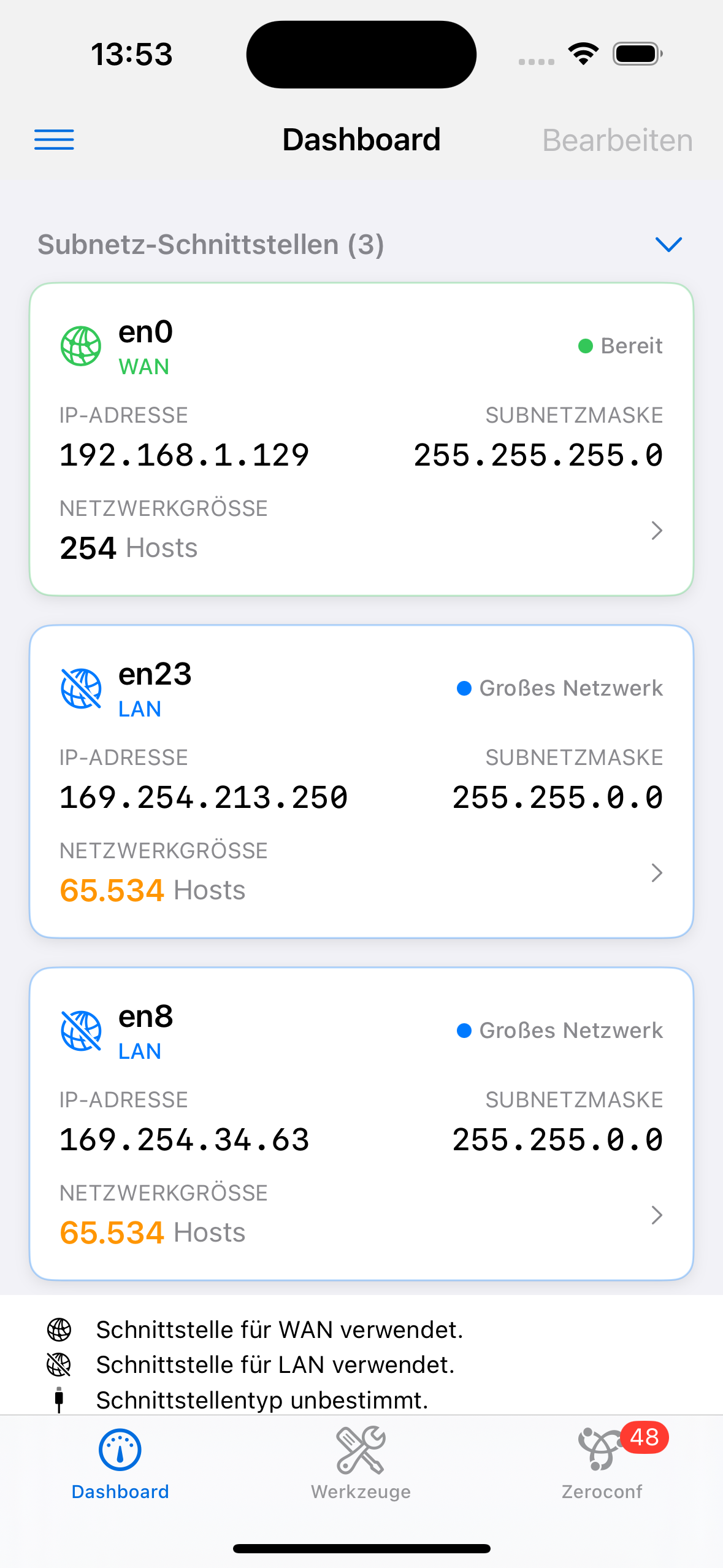
Network Lab
A desktop-grade network workstation that fits in your pocket. Beyond ping, traceroute, whois, speed tests, SSH and port scanning, it discovers every device on your network by combining active scanning with passive Bonjour monitoring, then identifies vendors and classifies devices so you actually know what’s connected. You can keep watching critical remote hosts across network changes, and because every scan runs locally with no data collection, your network stays your business. A native Mac version is in the works.
Everyday & creative apps
Weather, music and radio — tools for the rest of the day.

Sun-Dog
A clean, focused weather app that shows the sky at a glance: hourly rain and sunshine bars, a 14-day outlook with temperature ranges, plus the details that actually matter — feels-like, wind, humidity, pressure, UV and cloud cover. It’s named after the parhelion — the bright “sundog” beside the sun — and when conditions line up, the app quietly nudges you to look up. The whole thing runs on free, open Open-Meteo data with no account and no tracking, and syncs across iPhone, iPad, Mac and Apple Watch.

Song Book Pro
A lean, typography-obsessed songbook for guitar and ukulele players who actually perform. Built on the ChordPro format, it renders clean, readable chord sheets with built-in chord diagrams and organises them into setlists for the stage. I use it for my own hundreds of transcriptions collected over 30 years of playing, and a built-in importer for the Ultimate Guitar Archive helps you grow a library fast.

MIDI XY-PAD
Turn two MIDI controllers into a single, expressive multitouch surface. Sweep filter cutoff against resonance — or any pair of CCs — with one finger on a responsive XY pad, the kind of two-handed gesture that physical knobs simply can’t give you. It connects to your DAW or synth instantly over Network MIDI, with no cables and no setup.

Wellenreiter
Internet radio without the clutter. Instead of dumping thousands of dead streams on you, Wellenreiter offers a hand-curated catalogue of stations — and you can always add your own URLs. Favourites, recents and preferences sync seamlessly across iPhone, iPad, Mac and Apple TV via iCloud, and on the Mac it lives right in your menu bar for one-click listening.
Graveyard
Not every app earns a long life. These are retired — no longer actively developed — but kept here for the record, along with a short note on why they were laid to rest.

Surveillance Pro
A professional IP camera companion with grid and detail views, advanced event research, push alerts and integrations for MOBOTIX, ZoneMinder and FrameLabs Cloud setups. Its standout was smart auto-configuration via Zeroconf: where rival apps made you fill in dozens of settings, Surveillance Pro usually recognised and set up a camera in three to five taps.
Discontinued because too few people were willing to pay for a vendor-independent tool when most camera manufacturers ship a free app of their own. Sadly, mandatory cloud lock-in doesn’t bother most people.