CANcorder
CANcorder
CAN bus logger and analyzer for automotive diagnostics
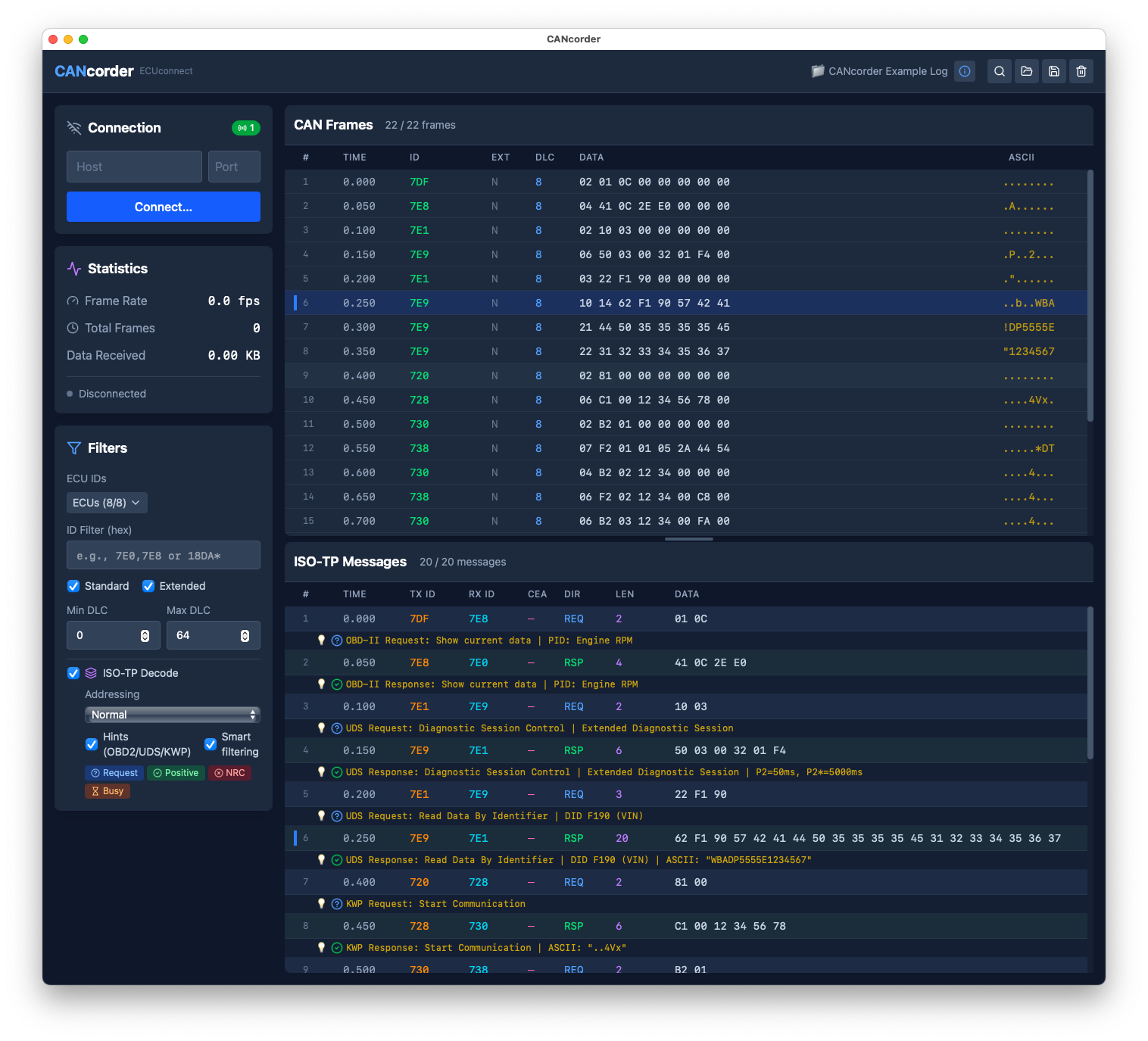
CANcorder connects to CAN hardware via TCP, J2534 PassThru (Windows), SocketCAN (Linux), or supported USB adapters on macOS, displays CAN frames in real-time, and decodes ISO-TP messages with protocol hints for UDS, OBD-II, and KWP2000. Whether you're reverse-engineering ECU communications, debugging a vehicle network, or analyzing recorded logs, CANcorder provides the tools you need.
Features
Live CAN Frame Capture
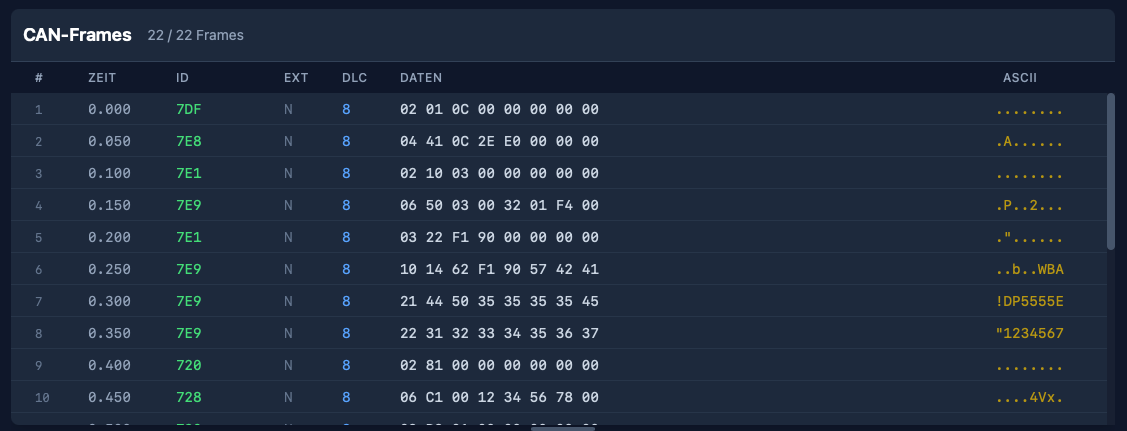
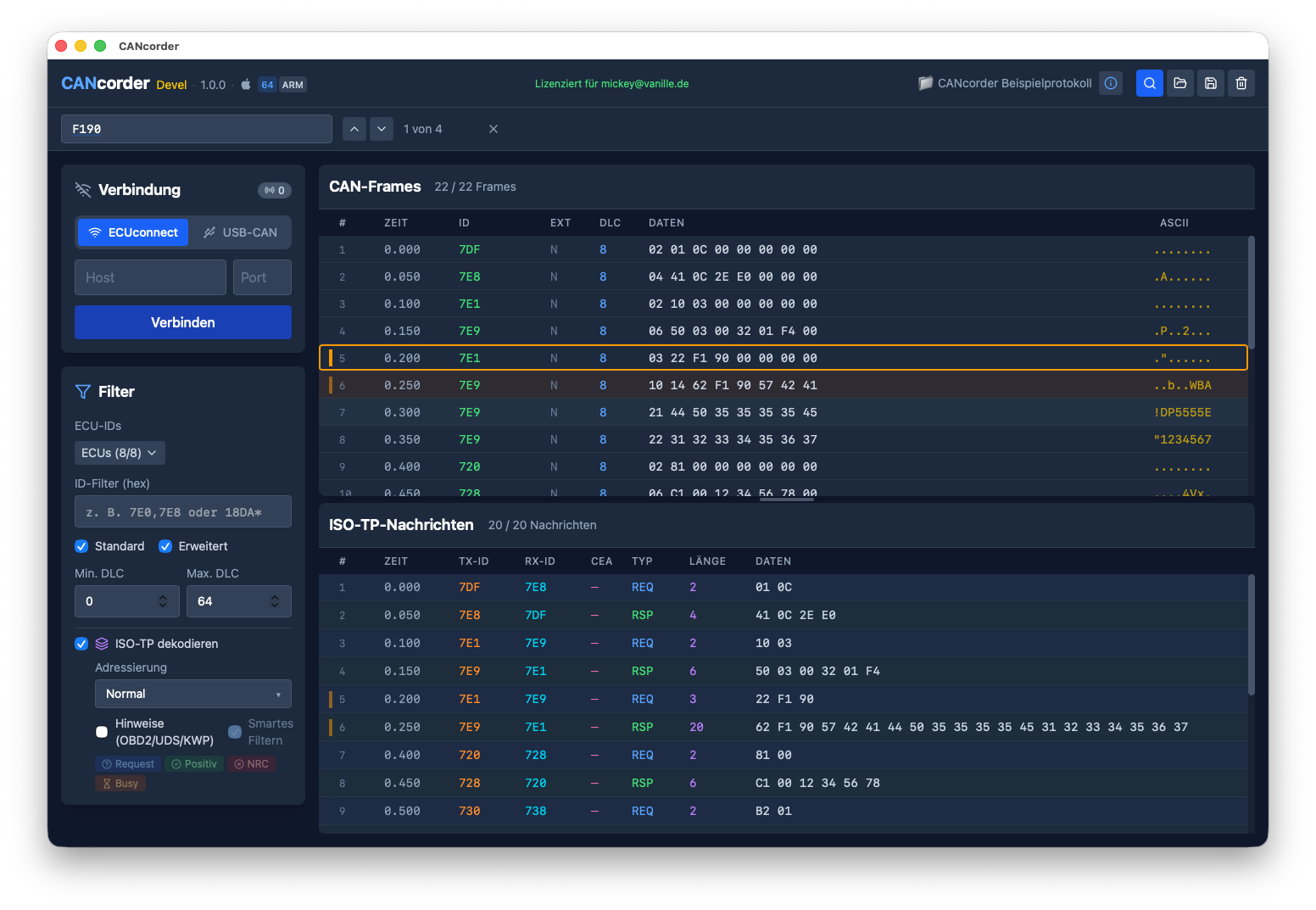
Connect to your CAN interface and watch frames arrive in real-time. Filter by arbitration ID, search for specific patterns, and pause capture to analyze traffic.
ISO-TP Message Reassembly
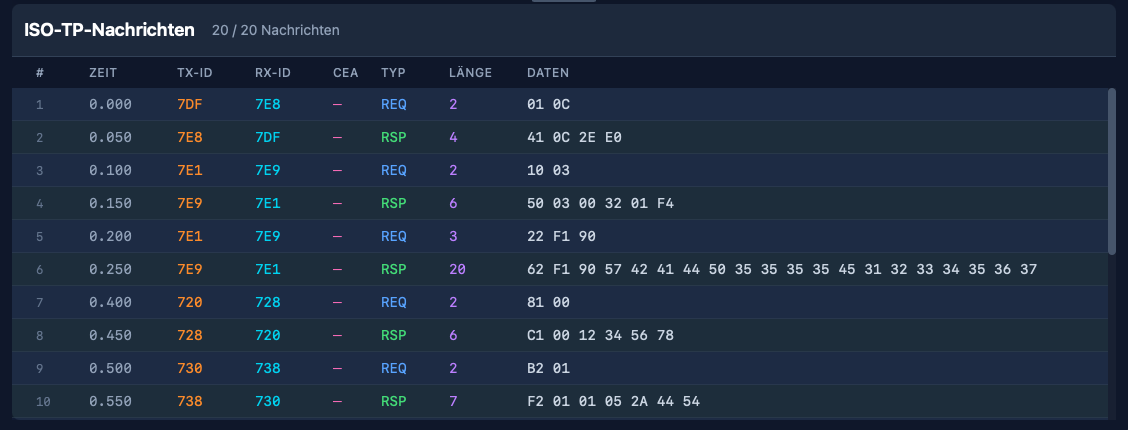
Automatically reassemble multi-frame ISO-TP messages. Single Frame, First Frame, and Consecutive Frame sequences are decoded and displayed with timing information.
Protocol Hints
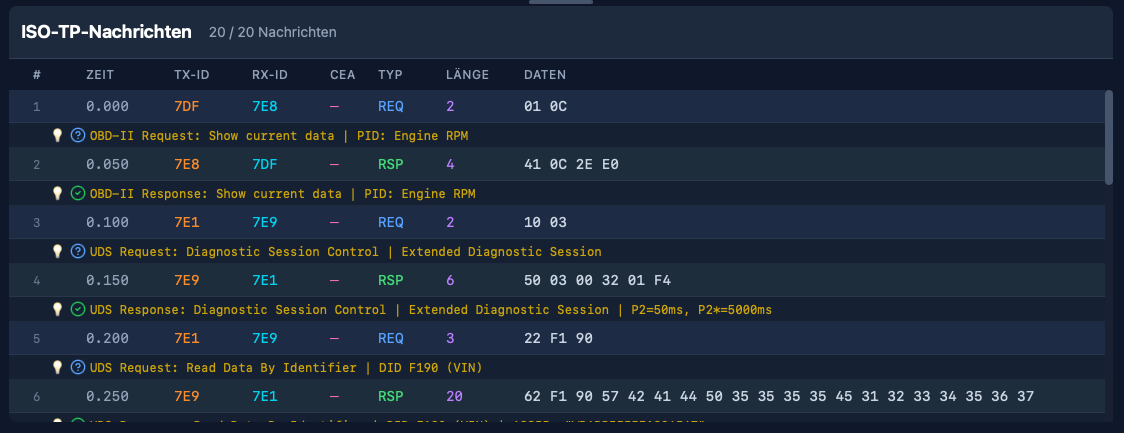
CANcorder recognizes UDS, OBD-II, and KWP2000 messages and displays human-readable hints. See service names, parameter IDs, and response codes at a glance.
Plugin System
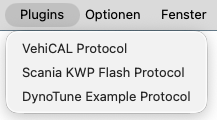
Extend CANcorder with plugins for vendor-specific protocols. Create JSON-based plugins to decode proprietary services and subfunctions.
Hex Search
Search for specific byte sequences across all captured frames. Navigate through matches with keyboard shortcuts.
Supported Formats
Import:
- CL1000 (CSS Electronics loggers)
- candump (Linux can-utils)
- ECUconnect
- PCAPNG (HSFZ/DoIP)
Export:
- CL1000 format
- Filter configurations
Supported Hardware
CANcorder supports multiple ways to connect to CAN hardware:
TCP (all platforms)
- ECUconnect logger and compatible devices
- Any CAN interface exposing a TCP socket
J2534 PassThru (Windows)
- Any J2534-compliant device (e.g., OpenPort 2.0, VCM II, MDI, and many others)
SocketCAN (Linux)
- Any SocketCAN-compatible interface (can0, vcan0, etc.)
Native USB (macOS)
- Tactrix OpenPort 2.0
- Rusoku TouCAN
- gs_usb-compatible devices (CANable, Innomaker USB2CAN, candleLight, etc.)
System Requirements
- macOS 11.0 (Big Sur) or later (Apple Silicon)
- Windows 10 or later (64-bit and 32-bit)
- Linux x86_64 (available on request)
Download
Version 1.0.167
CANcorder includes a 10-day free trial with full functionality. No registration required. After the trial, a one-time license purchase unlocks the app permanently.
Linux: A Linux build is available on request—contact mickey@vanille.de.
Installation
macOS: Download the ZIP file, extract, and drag CANcorder.app to your Applications folder. On first launch, right-click the app and select "Open" to bypass Gatekeeper.
Windows: Download and run the signed installer. It will guide you through setup and create a Start Menu shortcut.
Support
For questions, feature requests, or bug reports, contact mickey@vanille.de.