Apps > CarLab B & M F/G/I
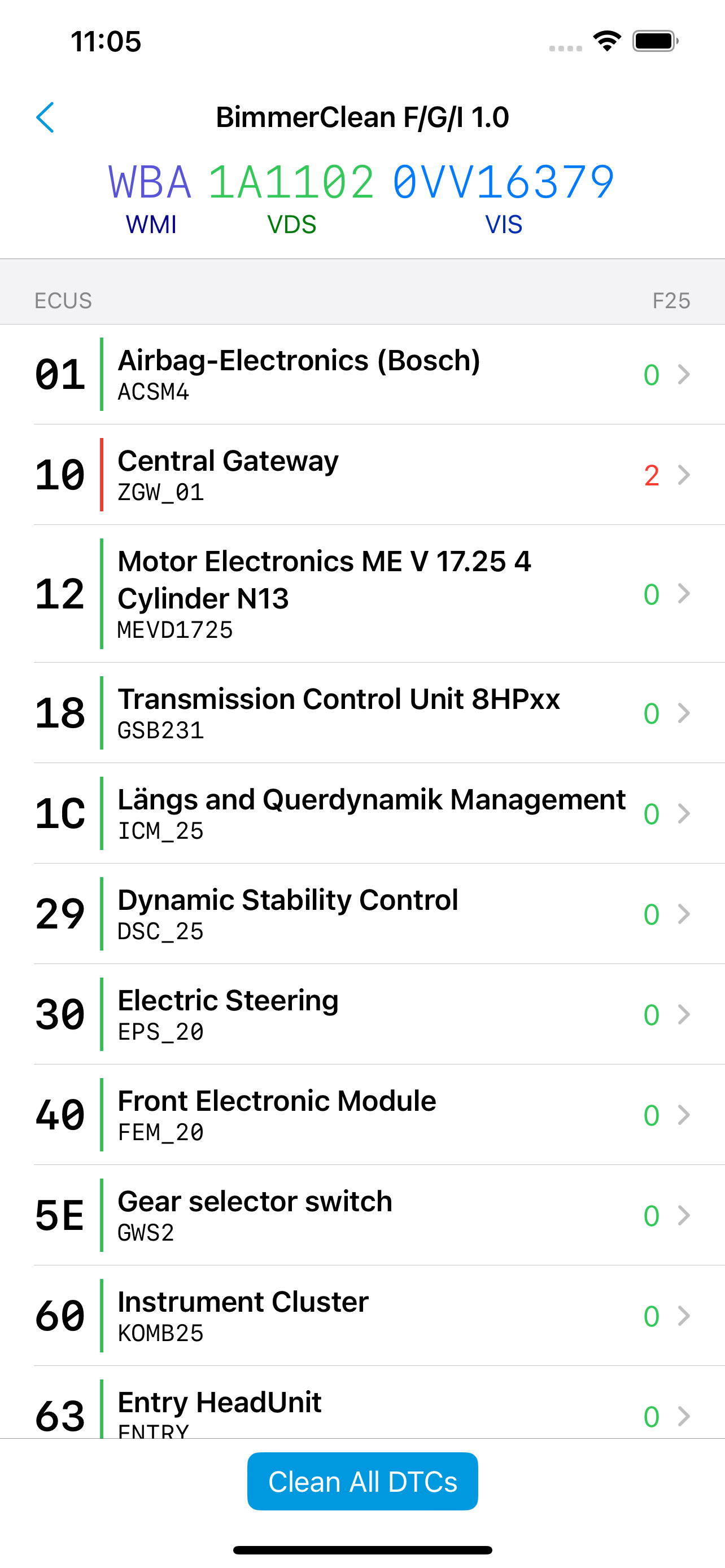
This iOS app can read and delete the stored diagnostic trouble codes in your BMW (Series F/G/I) or Mini (Series F) car.
Starting with the F series, BMW offers an Ethernet-based connection in addition to the CAN-bus on the OBD2 socket. Therefore this app needs a matching OBD2 adapter.
Supported Models
- modBMW WiFi ENET Adapter,
- MHD WiFi ENET Adapter (black),
- MHD Universal WiFi Adapter (red),
- ENET-Adapter + Mfi-certified Lightning Ethernet Adapter (recommended).
The free version will only read out the number of stored DTCs. Unlock the full version to see the concrete DTC descriptions and clear the error memory.
History
This app is a by-product of my extensive work on an automotive diagnostics SDK for iOS. In 2022, I implemented support for BMW ENET-based adapters as well as their proprietary HSFZ (High-Speed-Fahrzeug-Zugang) protocol. Once I had that, scanning for all ECUs and their stored DTCs (as well as clearing them), was just a matter of building a proper database.
Troubleshooting
The app does not connect to the wireless adapter?
If there is an error during the connection, please check whether CarLab is allowed to access the local network (iOS settings > “CarLab” > Enable “Local network”). If the connection continously fails, please lock the car, let it rest for a while and then try again.
iOS is notorious for dropping the connection to your WiFi adapter and reconnecting to another access point. This happens if it recognizes that it has no internet access over the WiFi path. Reconnecting to the WiFi adapter (using the iOS settings) sometimes helps, other times, it’s necessary to use the settings app and remove (“ignore”) all the other known access points that might be in your vicinity. Sometimes dropping into flight mode and then re-enabling WiFi is the only way that helps.
For the curious: The root of this problem is that seemingly all of the supported wireless adapters hand out a gateway address via DHCP. This is usually the sign that the adapter can connect to other networks except its local one. Until better adapters come around, we recommend that you’re using an ENET-adapter + a Mfi-certificated Lightning Ethernet Adapter. This is a trusted combination that also keeps your device’s WiFi connection.
The app does not recognize a connected vehicle?
Reassure that the OBD2 adapter is firmly seated in the socket. Many cars have a sloppy connector – if the adapter is wiggling, it’s not connected properly.
Make sure that ignition is turned on. G-Series vehicles need a manual step to enable the diagnostics mode: Press the start button in the car three times in quick succession without pushing the brake or clutch pedal.